Basic Docker Commands

I am DevOps Engineer who works on DevOps tools like Docker, Kubernetes, Terraform, Git, GitHub, Jenkins and AWS services.
In the previous blog, we have seen about docker and its architecture.
Now we are going to see the various commands in docker.
docker login
-> Used to login into docker registry.
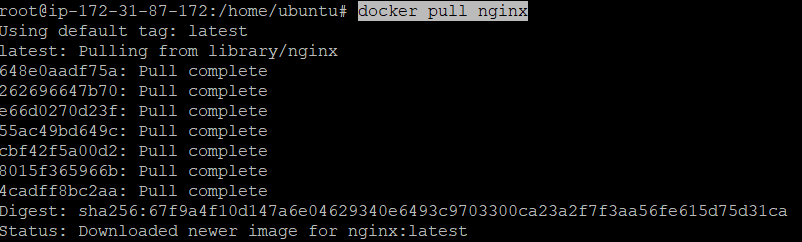
docker pull <image name>
-> This command is used to pull the docker image from the registry
docker images
-> Used to list all the docker images

docker run <image name or image id>
-> This is used to run the docker image

docker ps
-> List all the running containers

docker ps -a
-> List all the containers(stopped and running both)

-> Here 83eefb2ff25f (jenkins) is stopped container. So during docker ps command only nginx is there but during docker ps -a command both nginx and jenkins container is there.
docker exec -it <container name or container id> /bin/bash
-> To enter inside a running container
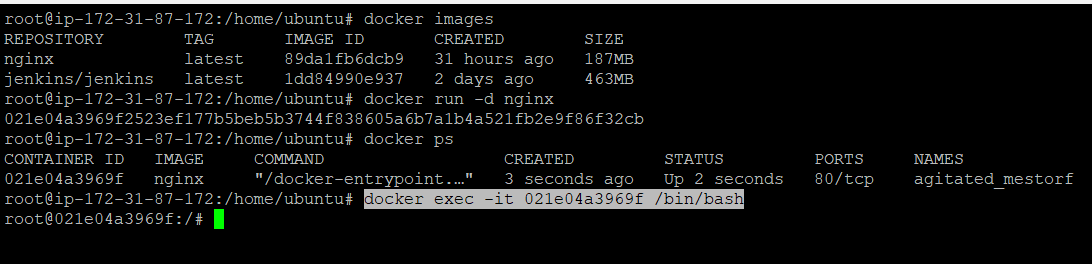
After running docker exec command, we enter into the nginx container.
docker commit <container name or container id> <new docker image name>
-> To create the new docker image from the existing docker container
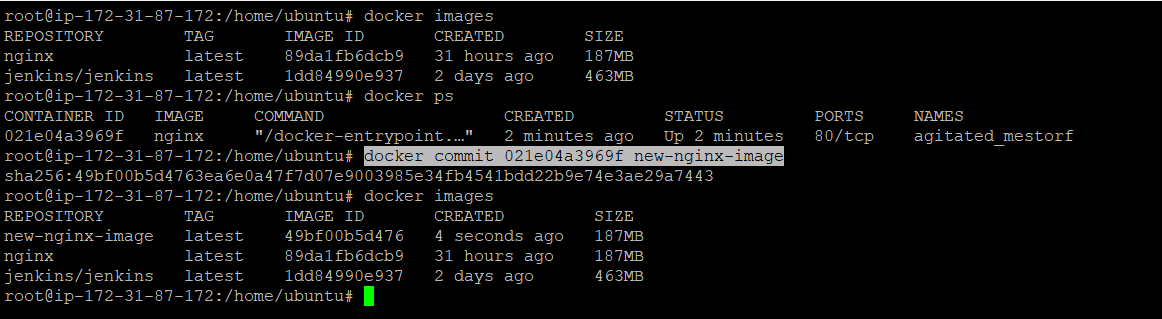
We can see that we have created a new nginx image using docker commit command
docker logs <container id or container name>
-> It is used to see the logs of the container.
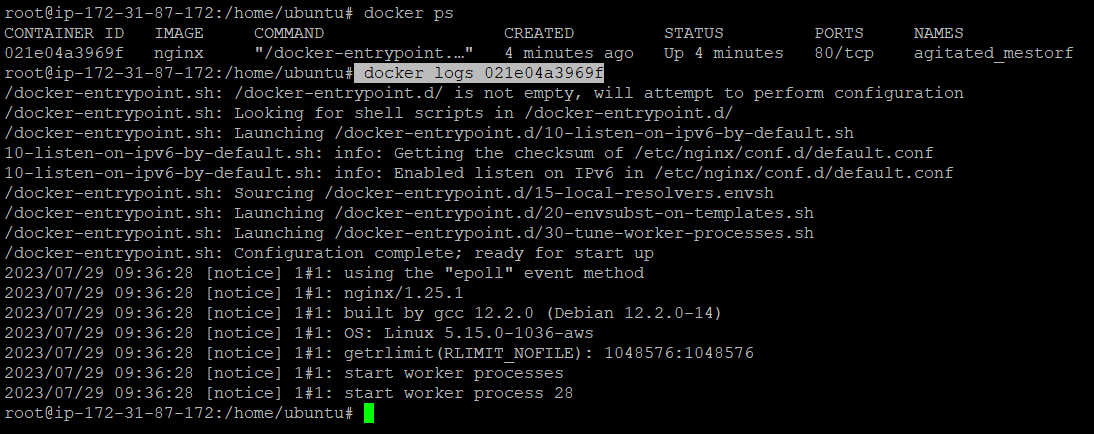
Here we can see the logs of the nginx container.
docker inspect <container name or container id>
-> It is used to get the container information like the IP address of the container
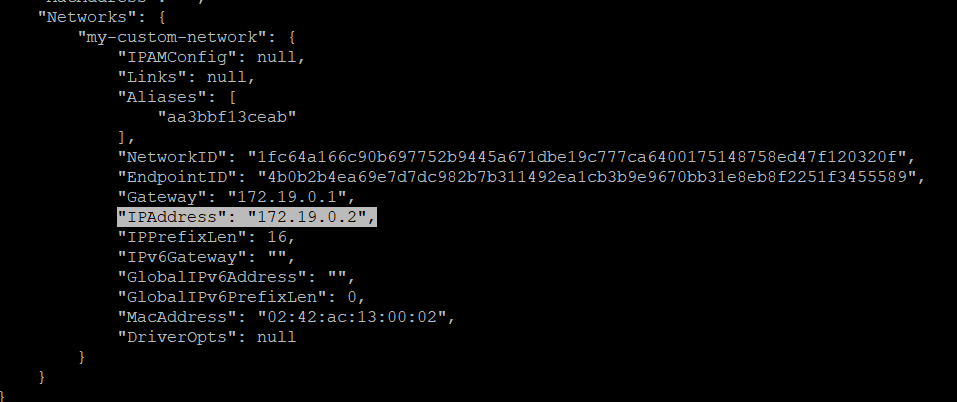
docker start <container name or container id>
-> Used to start the docker container.

Now we have started the 83eefb2ff25f (jenkins container) and we can see both nginx and jenkins container after running docker ps command.
docker stop <container name or container id>
-> Used to stop the docker container

Here we can see that when first time we ran docker ps command then both the containers are listed but after running docker stop 83eefb2ff25f (jenkins) container has been stopped and not shown in next docker ps command.
docker rmi <image name or image id>
-> Used to remove the docker image.
Note - No any container of this image should have been running or stopped.
Before deleting image, we must have delete container which is being used by this image.
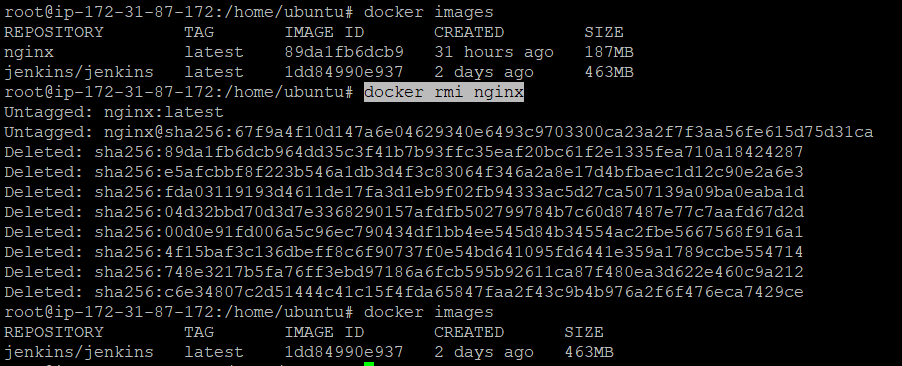
Here we have removed nginx image.
docker rm <container id or container name>
-> Used to remove the stopped container
Note - We can not remove the running container, first we have to stop and then remove.

-> Here we have removed the jenkins container which was not in running state.
docker build -t <image name> <Dockerfile location>
-> Used to build the docker image from the Dockerfile
